
Recently made the decision to convert my project from Bootstrap to Tailwind. You maybe wondering what may have led to that decision. Part of the reason is I like the flexibility of Tailwind and seems worth the hype. Another reason was because I wanted to learn something new. Check it out the live version of PawternityHub
Styling 🎨
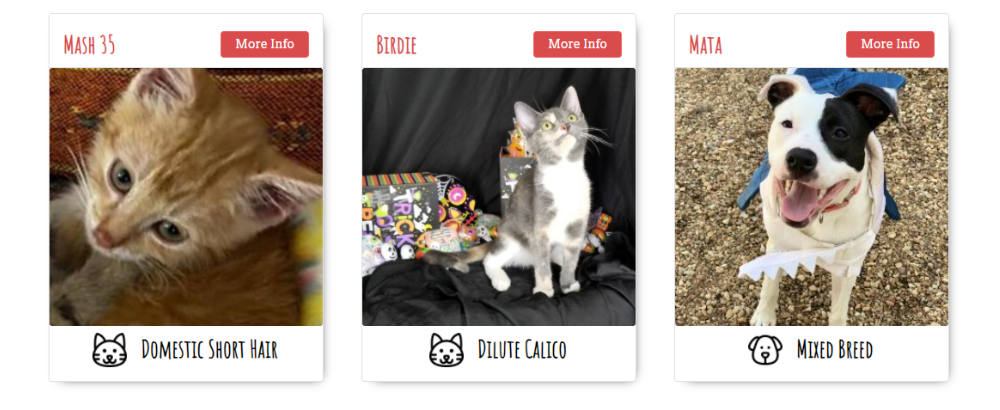
Originally, the project was developed during a hackathon called Owl Hacks. At the time, I knew how to use Bootstrap and wanted to use it for quick development so I would not have to worry about css. I also used a premade theme from Bootswatch to make it look presentable for the hackathon. As the project grew, I realized I was sometimes fighting against Bootstrap css such as the PetCards. Some of the cards css styles I had to overwrite to get it to the style I want.
DaisyUI 🌼
With tailwind being implemented, I realized I needed a theme to start off with. It may seem like I am going in a full circle with finding a premade theme from before but I made the decision to go with daisyui. DaisyUI had premade themes but also the option to customize with their theme generator
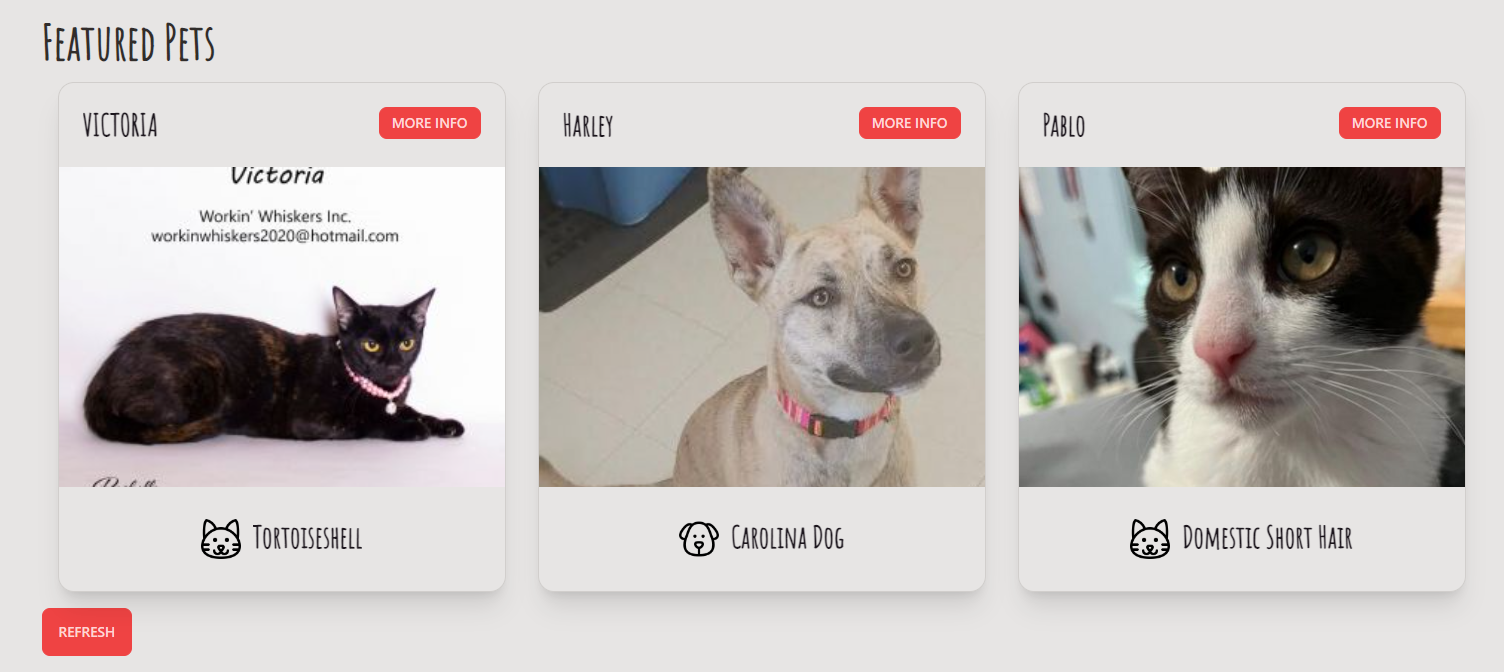
I also used a react-daisyui since it acts like a wrapper with daisyui. You are still able to customize with tailwind just by adding it to the className. Fun fact I contributed a couple times to the repo. This was me using their <Card/> component.
<div className="lg:px-4 px-1  w-full md:w-1/2 lg:w-1/3 my-4 fadeInUp ">
  <Card className="bg-base-100 shadow-xl" bordered>
    <div className="p-6 flex flex-row justify-between">
      {CardText(name)}
      <Link to={`/animal/${id}`}>
        <Button color="primary" size="sm">
          More Info
        </Button>
      </Link>
    </div>
    <Card.Image
      alt={link ? type : `${type} placeholder`}
      src={link?.medium || Placeholder}
      onMouseEnter={onHoverPhoto}
      onMouseLeave={onBlurPhoto}
      className="object-cover h-80 w-full"
    />
    <Card.Body className="flex flex-row justify-center">
      <PetIcon type={type} /> {CardText(breeds.primary)}
    </Card.Body>
  </Card>
  {children}
</div>
Conclusion ⚙
The transition to tailwind went smoothly despite having to convert a lot files and refactoring them. Felt happy that I was able to refactor the code and css that was bothering me from long ago.